
Connect Your Systems
Less copying. Fewer gaps.
Hyphos Inc. · Software & Knowledge Platform
Less chasing information. Less entering it twice. Less explaining it again.
What did we quote? What did the job actually take? What does the contract require? Hyphos connects your estimates, invoices, timesheets, emails and documents, and on larger work the contracts and requirements behind them, so your team can see what needs doing, and why.
Hyphos connects the information scattered across a business: estimates and invoices, timesheets and supplier bills, accounting, emails, documents, meetings and AI conversations. On larger engagements it also connects contracts, scopes of work and regulations.
Those relationships help your team catch a gap before it costs money, understand the effect of a change and trace a decision back to its sources. We’re open to design partners who want to shape it around a real workflow. See what a pilot involves ↗
The Question We Get Most
For one meeting or one document, go ahead. We use them every day. The trouble starts when the volume grows.
It keeps a piece of what it read, fills in the rest, and believes the result. Going back to the full document is not something it does on its own.
You feed it the transcript and assume it caught the reversal. Unless you ask for it directly, the answer can come back with the decision you dropped.
Ask it to go back over an answer and it does find real mistakes. It just never decides to, so at volume you are asking every time, for every answer.
We gave one twelve hours of meetings. It reported back done. It had skimmed.
To keep going, it compresses everything said so far into a summary. Detail goes, sometimes the point of the job itself, and nothing tells you what was dropped. You find out when an answer contradicts something you settled an hour ago.
Better prompting does work. We do it by hand, and it takes knowing exactly what to ask for and the discipline to ask every single time. At volume, that becomes the job. For it to survive a busy week, the checking has to happen on its own: every answer tied to the document it came from, checked against that document automatically, and counted, so you can see what was read and what was not.
01 · The Everyday Challenge
 Ask Hyphos
What’s happening in my business today?
Here’s what needs you today:
Put together the engagement summary for this client.
Engagement SummaryDraft
Ready for your review.
02 · From A Small Job To A Large Engagement
A one-week job or a year-long engagement, the gap shows up the same way. The documents sit in different places, and the piece that decides the answer is often in none of them. It is what somebody agreed on site, or what everyone assumed in a meeting. Hyphos is built to keep that alongside the records it affects.
A Small Business Job
Bathroom renovation: 32 hours of labour and $4,800 in materials.
Source: estimate · Accepted by the customer38 hours logged. The tile supplier’s bill came in $620 over the materials quoted.
Source: timesheets · Supplier bill, read and approvedThe invoice was started from the estimate. The extra hours and materials are not on it yet.
Source: invoice draft · Bills in your accounting systemHyphos connects the numbers to the job.See the quote, the hours and the bills side by side before the invoice goes out. Add the approved extras, or call the customer first, with the evidence in one place.
The part that is in nobody’s system: the customer approved the tile change standing in the bathroom. Without that, six extra hours look like an overrun instead of work somebody agreed to pay for.
A Larger Engagement
Interview the team and deliver a recommendations report.
Source: contract · DeliverablesReview personal information before sharing the findings.
Source: regulatory document · Personal informationInterviews, analysis and a report. No privacy review assigned.
Source: scope · Current draftHyphos connects the sources to the work.Bring the contract commitment, regulatory source and draft scope into the same review. Confirm which requirement applies, assign the missing work and keep the evidence linked.
The part that is in nobody’s system: on the kickoff call everyone assumed the client would handle the privacy review. It was never written down, so it is in no contract, no scope and no plan.
The estimate, the hours, the supplier bills and the invoice stay connected to the job, so the difference shows up before the invoice goes out, not after the customer has paid.
Your team still decides what to bill. The numbers, and where each one came from, are in front of them when they do.
The next question is which commitments, scope items, tasks and records depend on it. Hyphos is designed to carry those relationships with the information, so your team can see what needs another look.
The source stays available alongside the work. People can check applicability, resolve conflicting obligations and review the proposed change with the relevant evidence in view.
03 · Carry It Forward
Any system can hand over the estimate and the hours. What does not get handed over is why: the change agreed on site, the fee waived to win the job, the promise made on a phone call. That part lives in somebody’s head, and the next person has to go and ask three people to find it.
Next Step · Office Manager
One Approval OutstandingThe Part Nobody Writes Down
Whoever picks the work up, the office manager covering a vacation or the next consultant on an engagement, can see what was agreed, the numbers or the scope, the sources and the work still to do, without asking someone to reconstruct every conversation.
Hyphos supports their judgment; the team remains responsible for reviewing and carrying out the work.
Domas · How Hyphos Gets Built
Most software waits on a team of programmers. We built Domas instead: AI plans each change to Hyphos, builds it, tests it and checks the work, and a person approves it along the way. It also watches how the system is actually used, and that is what decides what gets built next.
Inside Domas
Watch → Plan → Approve → Build → Test → Review → Learn ↻
Think of Domas as a small software team made of AI, run by a manager who never skips the paperwork. It writes down the plan, builds the change in a separate copy so nothing live is touched, runs the tests and has a different AI check the result. Every decision is recorded, so the next change starts from what was already learned.
It does not run unsupervised. A named person approves each plan before any building starts, and the work is reviewed before it becomes part of Hyphos. That is how one small team can build and change a large system quickly without losing track of it.
The part that matters most is the last step. Domas records what using the system teaches us, keeps the lessons from earlier work, and can report whether the build is getting better or worse. So the software is shaped by how the work is really done, rather than by what somebody assumed in a planning meeting.
What’s next: pointing that at each client business, its terms, its steps and its tools, with that business approving the changes. That part is still being built.
Built By Hyphos
We also build software for clients. The same idea runs through it: record information once, and use it where it belongs.
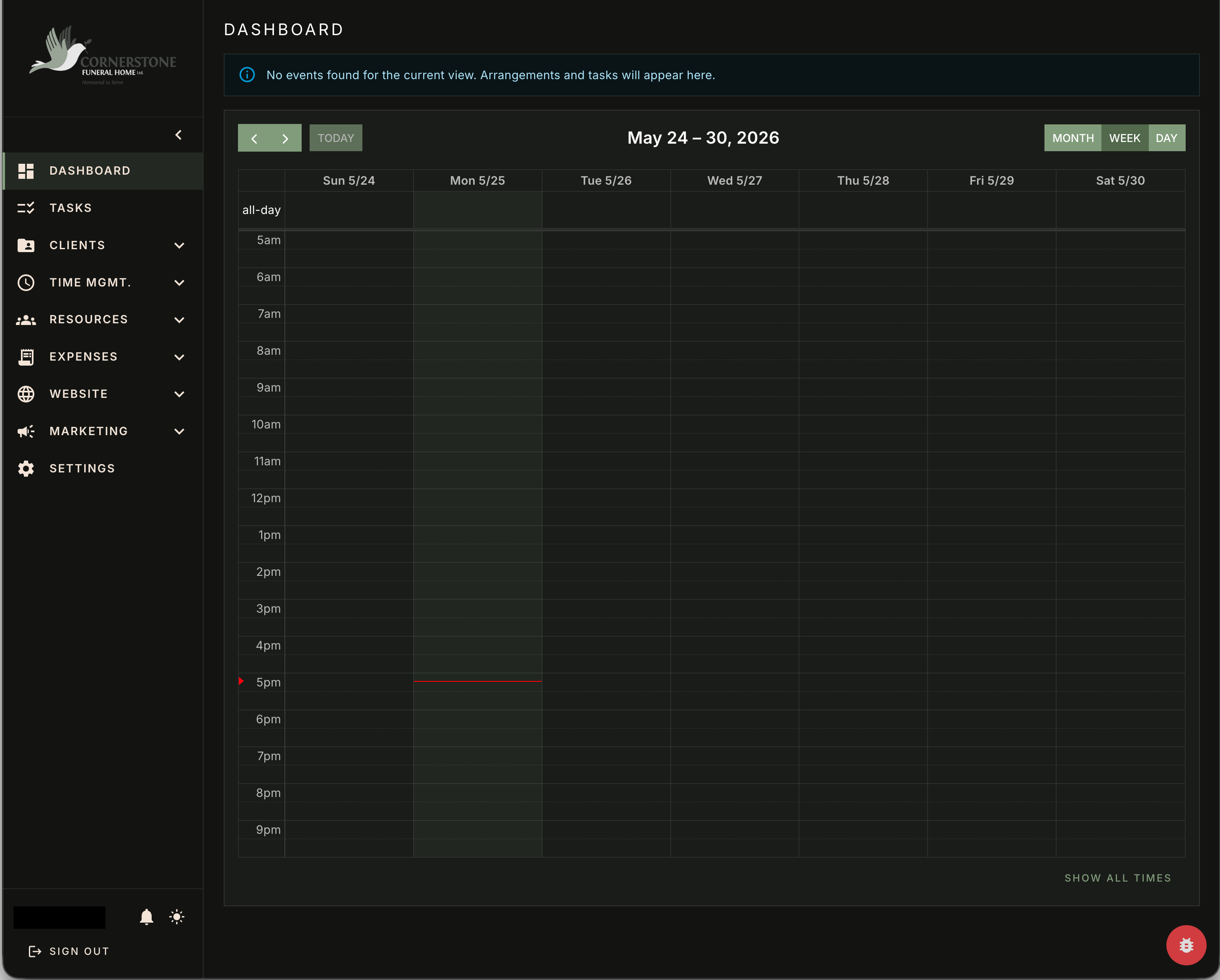
For client Cornerstone Funeral Home, service records can supply website content. The public site reads published information, while website activity and available marketing signals feed staff reporting.
Client Work · iPhone & Android Apps
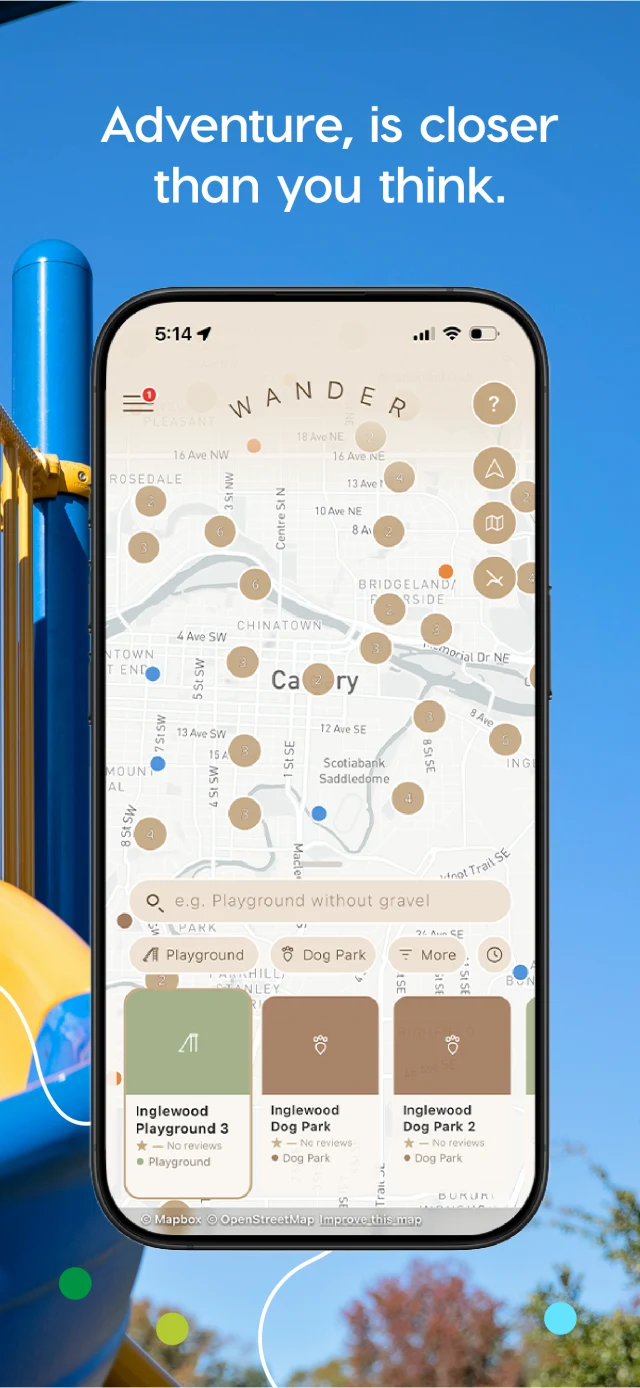
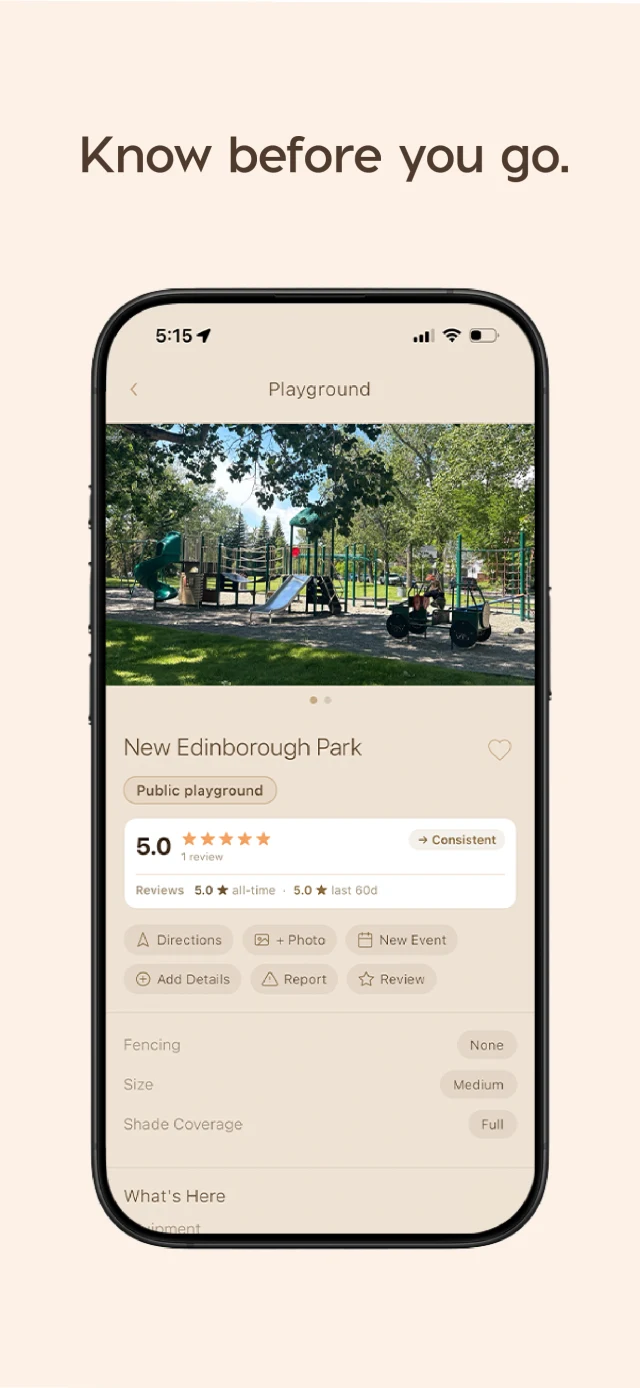
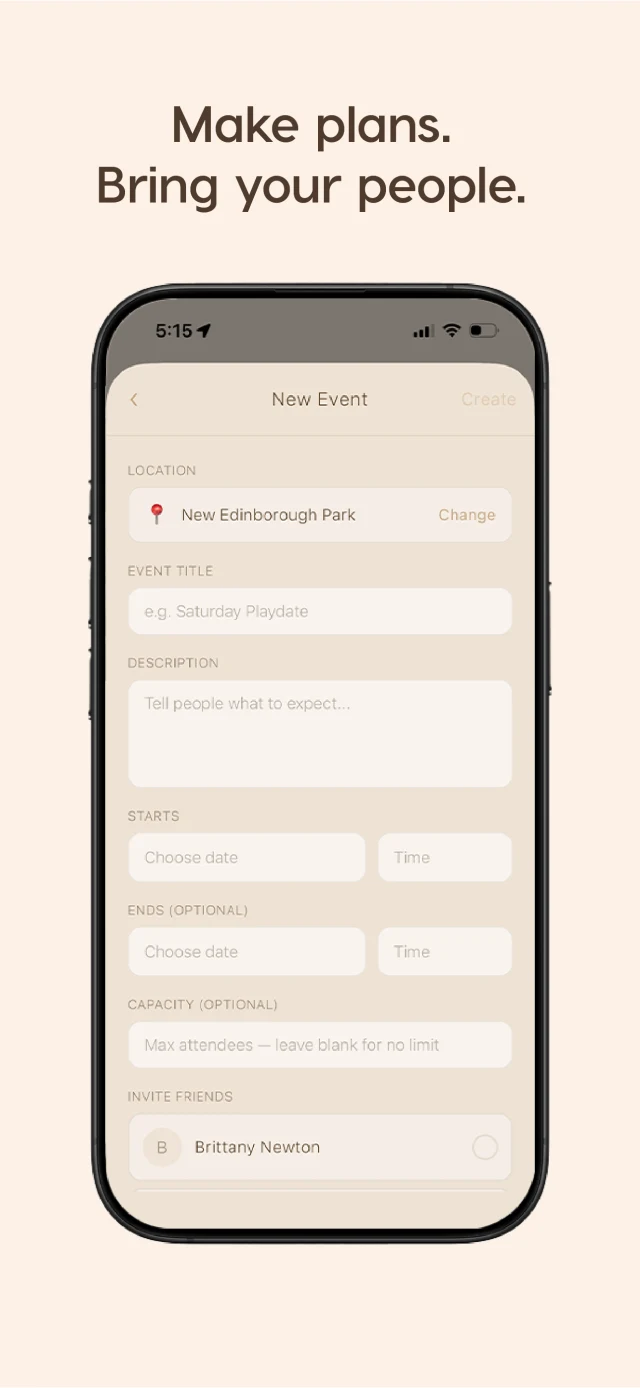
Wander is a consumer app we designed, built and shipped to the App Store from a single codebase that also builds the Android app. It’s a full production product, with maps, real-time messaging, AI-powered search, camera and location features and push notifications, not a prototype or a website in an app shell.
Where We Can Help
Less copying. Fewer gaps.
Software and apps that fit the work.
Practical AI on your own information.
Field Notes
A useful place to begin. Open to read and share.
Connect what the contract says, what regulations require and what the scope includes.
Read The Field Note ↗ 03 / Small BusinessThe unglamorous things that quietly take hours out of a week, and why most of it disappoints.
Read The Field Note ↗ Client Work / A Real ExampleBusiness records, a public website and marketing feedback, connected.
Explore The Client Work ↗Start Small
A question is enough. There’s no need for a prepared brief.
Opens your email app.